How to Create and Manage Memberships and Save Recurring Credit Cards
Creating, Managing Memberships and Saving Recurring Credit Cards
Steps
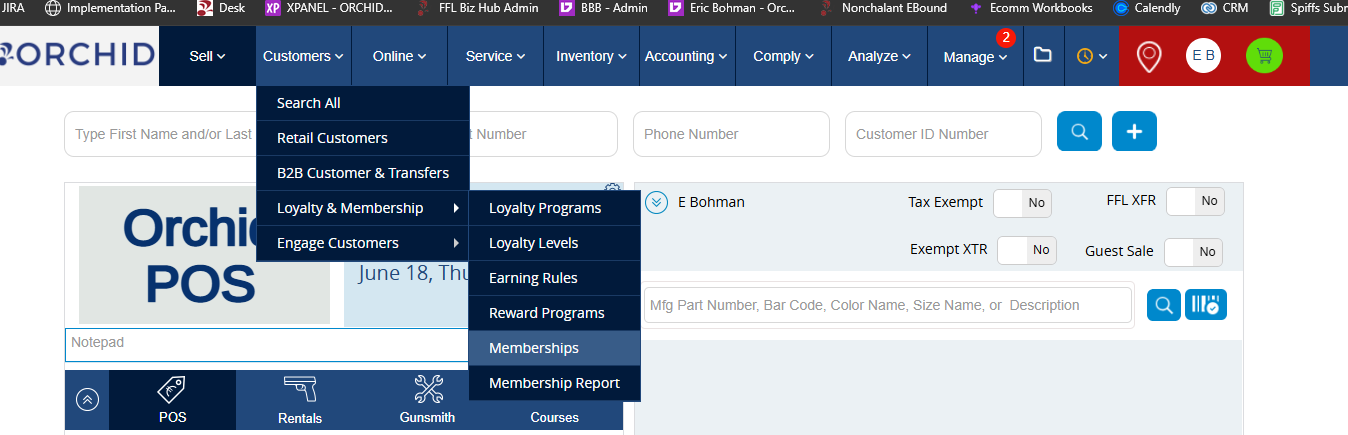
- Navigate to the Customer drop down > Loyalty & Membership > Memberships
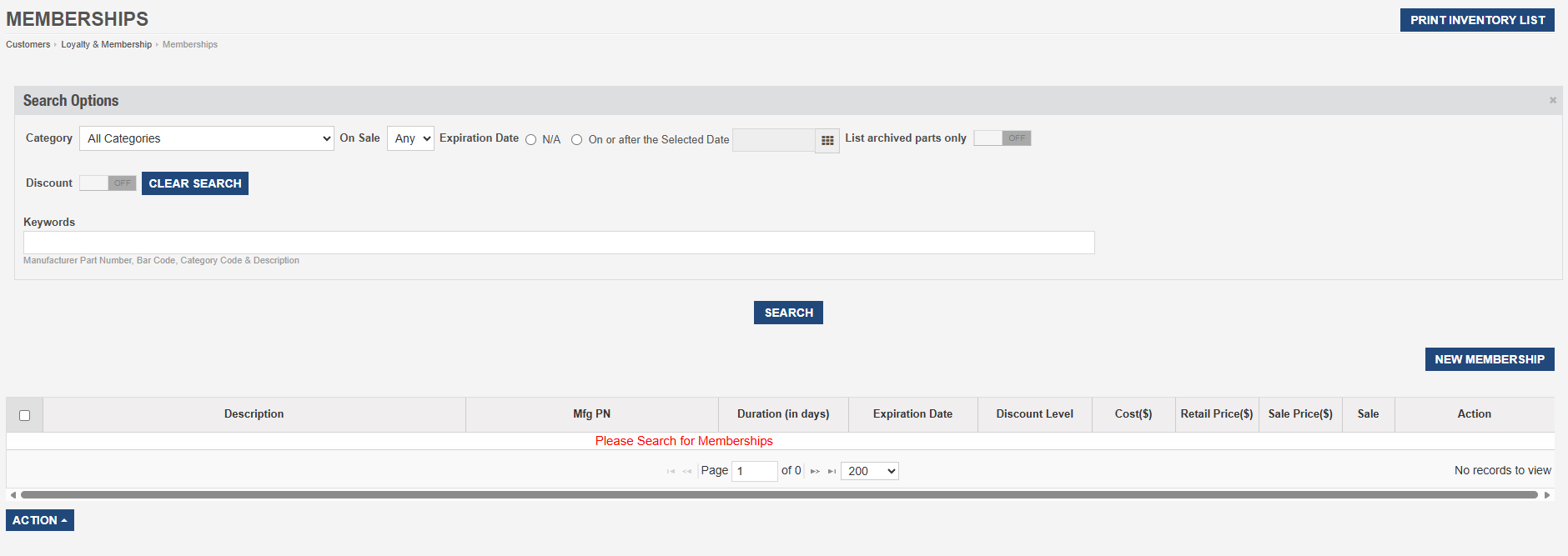
- Once on the membership page, you can see all of your memberships by clicking search. To create a new membership, click on New Memberships on the right.
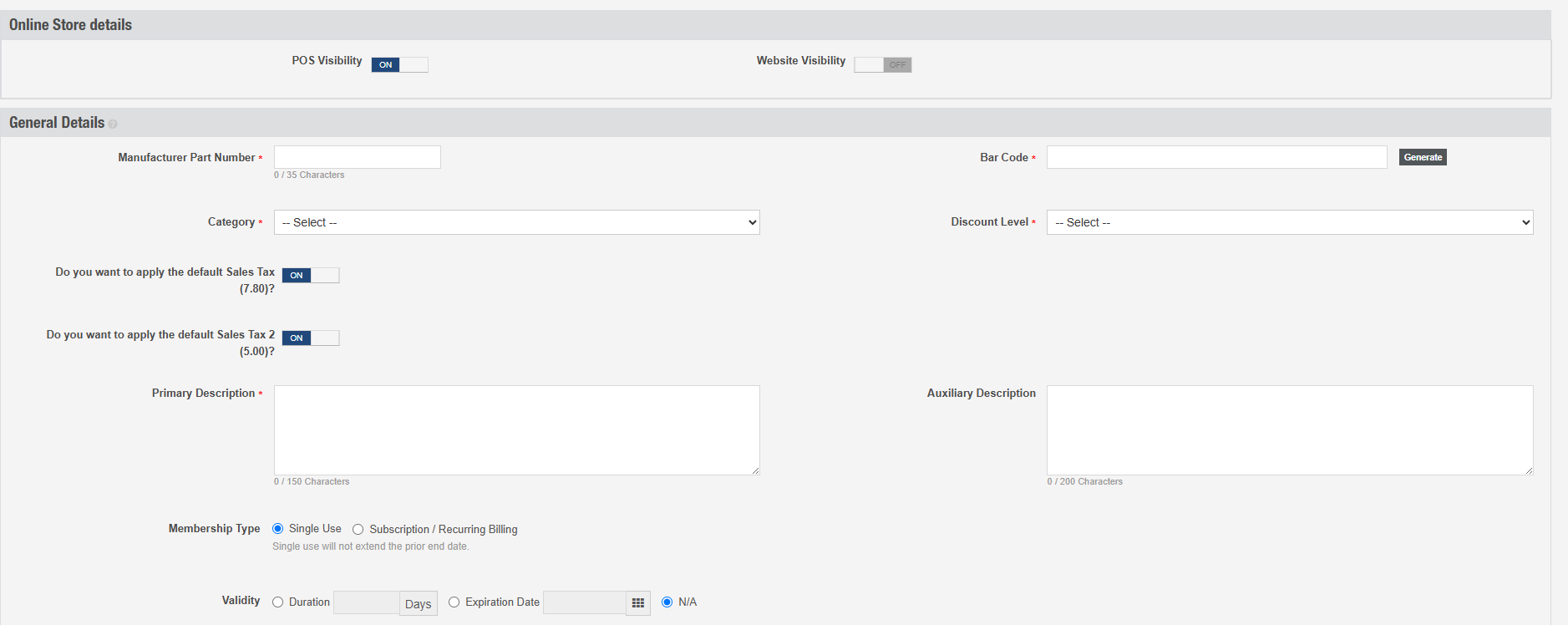
- When you select New Membership you will be able to go through the following options.
*POS and Website Visibility
*Creating MFG Part Number and Barcode.
*Selecting the Taxonomy category it goes to.
*Giving it a discount level if you choose.
*Choosing sales tax.
*Adding Primary or Auxillary Description.
*Choosing the membership type. Single Use will only charge the customer once and won't renew. Subscription/Recurring Billing will automatically charge the customer on a recurring basis.
*Choosing the validity. Giving the membership a specific duration, expiration date or choosing to not give one at all.
*Overwriting existing default price codes.
*Whether it can take a deposit or not.
*Giving it any pop up notes. (this does not provide a popup on your ecomm website only instore)
- Below the last option, you will now be able to determine pricing details.
*Cost
*Percentage of Commission given to employees.
*Marking it on sale.
*Giving it a discount percentage. - Below these settings, you'll see a pricing table. Here you can determine the price of the membership and specify pricing depending on the levels you choose.
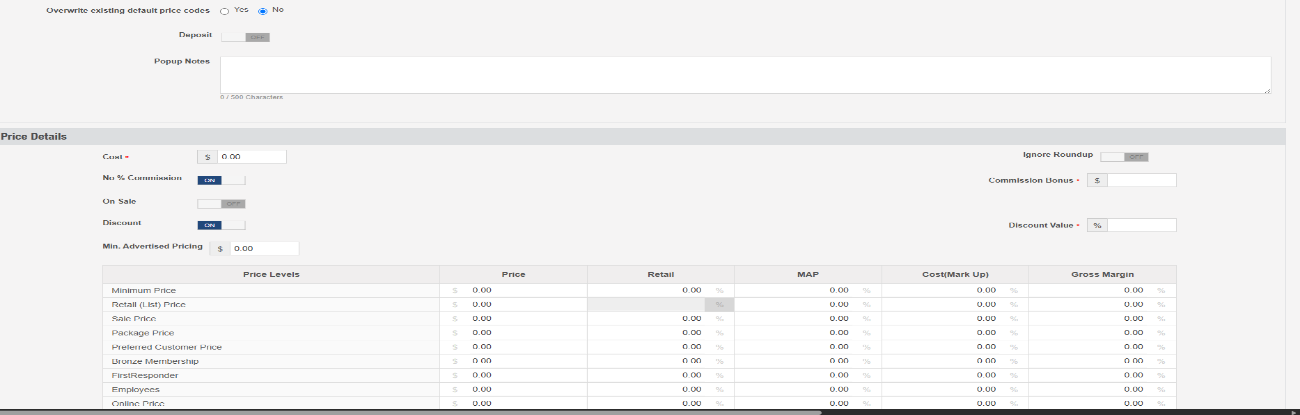
- Once the membership is created, you can sell it using the barcode you created.
Saving Credit Cards for Recurring Memberships
- When a customer purchases a recurring membership, by default it will save that card
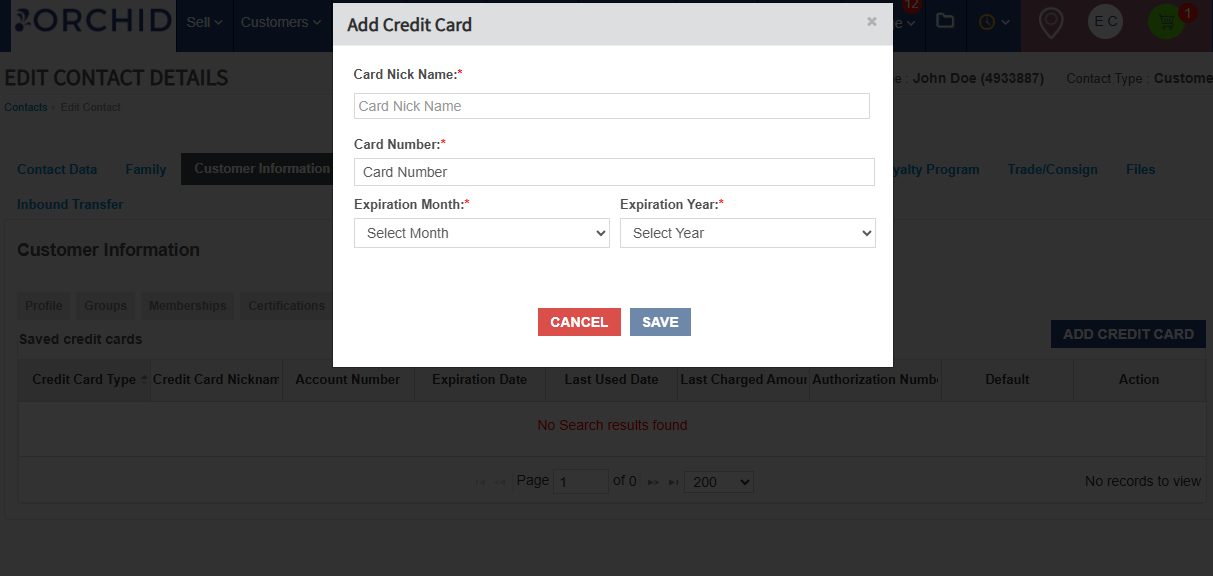
- When a customer pays for something in the store, you can save their card for the recurring payments on their memberships by opening their customer profile. Once in the customer profile, select Customer Information.
- You will see a section that says Credit Card. This will show any saved credit cards you have added for this contact.
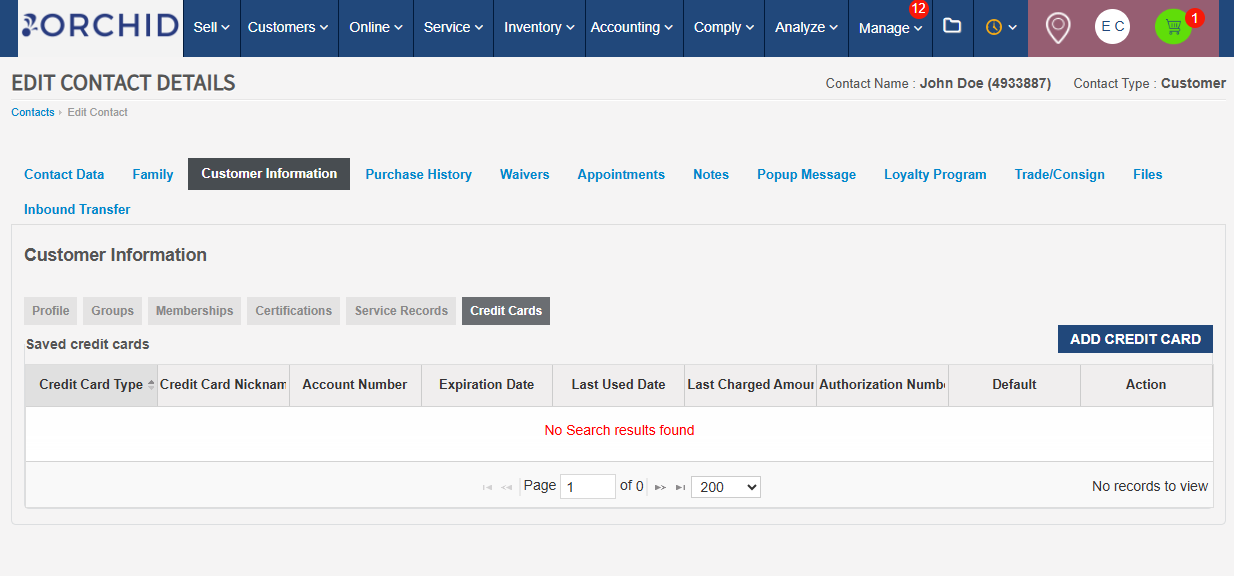
- By clicking Add Credit Card, you can save a credit card onto the customer profile and use it to pay the recurring membership charge.